You can now ask Claude, ChatGPT or Grok questions about your vending business and get answers from your own VendSoft data: which machines need a visit, what to load for a route, what to reorder and from whom.
The VendSoft AI Connector links your account to the AI app you already use. It is read-only, and the AI connector is included in the Pro and Business plans.
What changed
Until now, getting an answer out of VendSoft meant opening the right report, setting the filters and reading the table. The AI Connector lets you ask the question instead. It uses MCP (Model Context Protocol), the standard that Claude, ChatGPT and Grok use to request data from other applications. Your assistant asks VendSoft for the figures it needs, VendSoft answers from your account, and the assistant writes the reply.
A first question, step by step
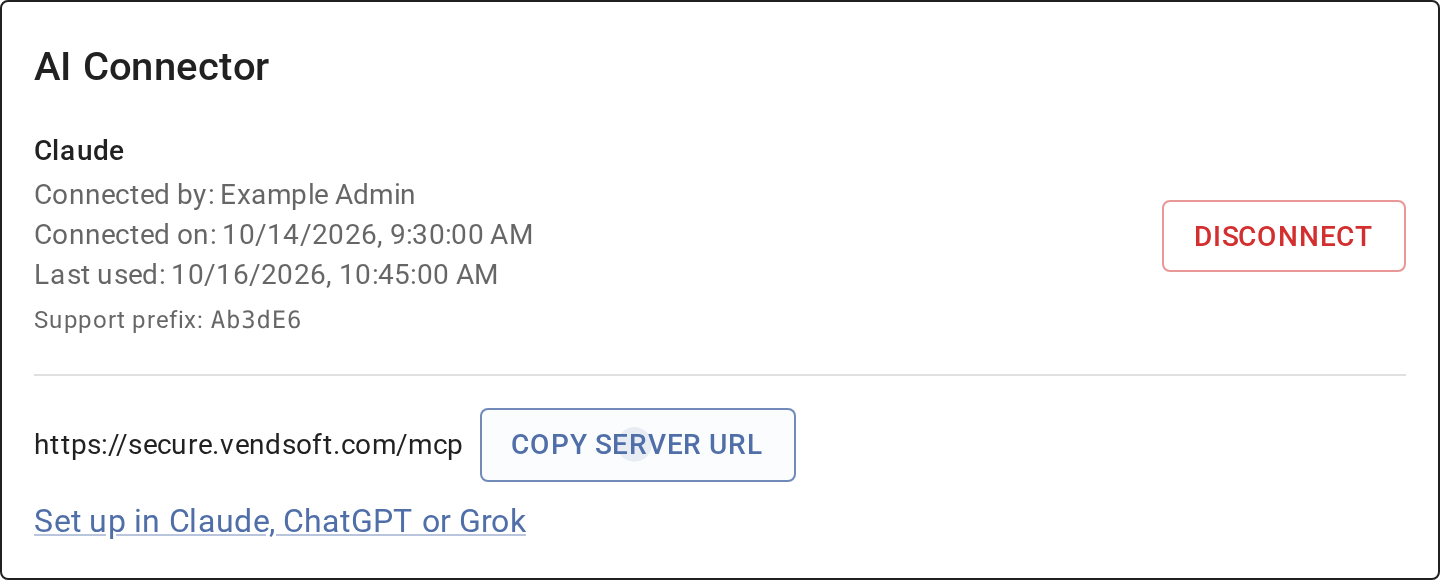
1. Connect. An Admin of your VendSoft account adds VendSoft as a custom connector in the AI app. In Claude that is Settings → Connectors → Add custom connector, with the server URL https://secure.vendsoft.com/mcp. VendSoft asks you to sign in and approve the connection. The steps for Claude, ChatGPT and Grok are in the help article.
The connection then appears under AI Connector on your Security page in VendSoft, where you can disconnect it at any time.
2. Ask. Type the question the way you would ask a colleague:
Compare last week’s sales with the week before, by machine. Which machines need a visit?
3. Read the answer. Claude pulls both weeks from VendSoft’s sales reports, checks the machines’ fill levels and recent visits, and replies in a few lines. Here it is on our own account:
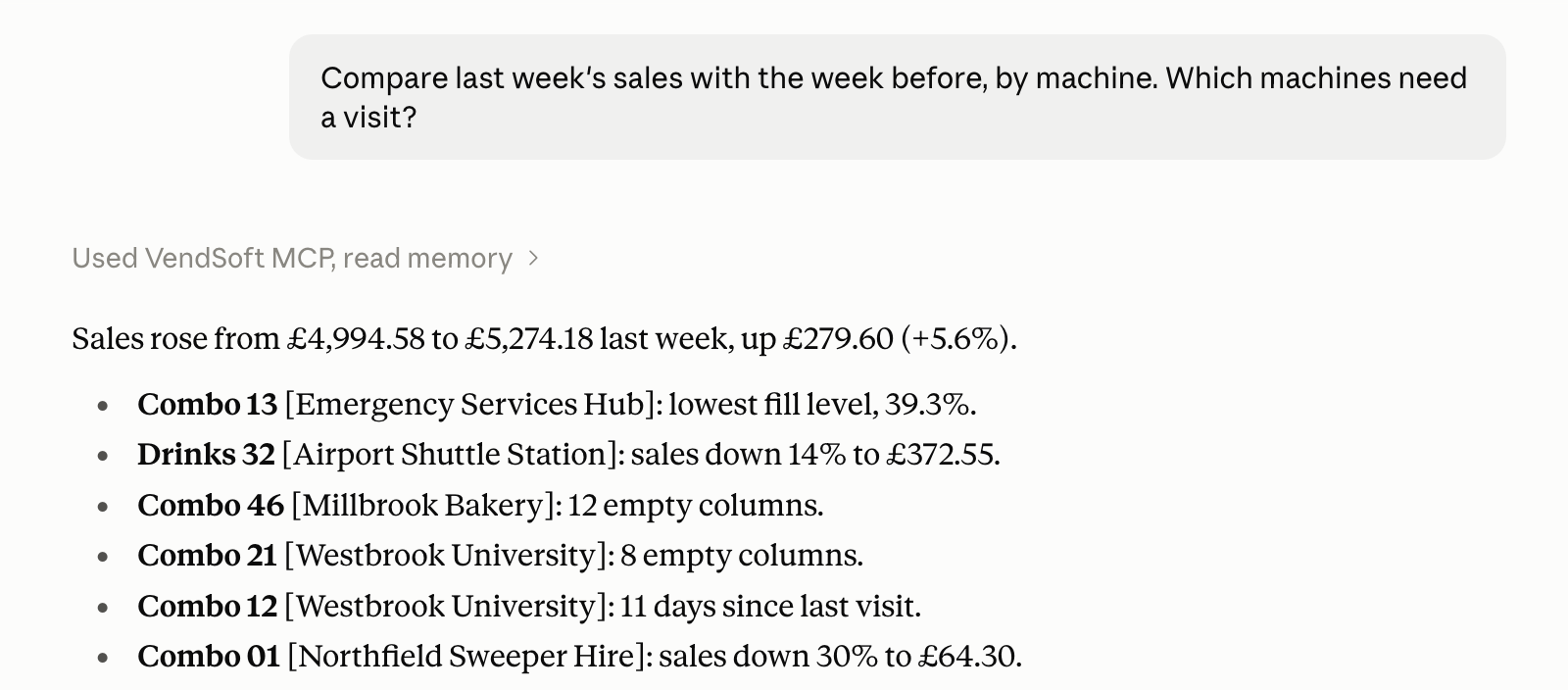
Every figure comes from the same reports you see in VendSoft, so the answer matches what the Reports screen shows for the same period.
What else you can ask
- What should I bring for my next visit to the Downtown route? Use the machines’ fill levels and list the products and quantities to load.
- Which products are below their reorder point? Show the warehouse quantity, how much to order and the last supplier for each.
The answers depend on what you record in VendSoft: telemetry sales, service visits, planograms, reorder points and purchases. More examples, with what each one needs, are on the AI Connector page.
Your data
The connector is read-only and can access only your own VendSoft account. It cannot change your data, create purchases or schedule visits.
VendSoft keeps each tool request and its outcome, including the request’s arguments, for 90 days. VendSoft does not keep your conversation. The figures the assistant asks for go to your AI provider under your agreement with it. You can disconnect at any time under AI Connector on the Security page.
Plans
The AI connector is included in the Pro and Business plans, including trials of those plans, at no extra charge and with no per-question fee from VendSoft. On other plans, an administrator can change the plan under Account → Subscription. See the pricing page for what each plan includes.
Want more vending business tips?
Subscribe to our free 2-week email course and learn how to start a successful vending business.