If you want fewer service calls, fewer refunds, and fewer “this machine is down again” messages from locations, maintenance has to be a routine—not a reaction. Developing effective maintenance strategies is essential to reduce service calls and minimize downtime. The good news is you don’t need to be a technician to run a tight preventive care program. You just need a simple checklist and the discipline to follow it.
This guide gives you a complete, operator-friendly maintenance checklist you can use for snack machines, drink machines, combo units, and refrigerated equipment. Following this checklist will help operators achieve greater efficiency in their vending machine maintenance routines.
By adopting a structured maintenance approach, you’ll discover the key benefits of vending machine maintenance, including maximizing revenue, enhancing customer experience, and ensuring smooth operation.
The mindset that saves the most money
Most breakdowns aren’t random. They come from a handful of repeat issues: dust, sticky spills, worn parts, loose connections, and ignored early warnings (slow bill acceptance, weak cooling, intermittent card reader errors).
Preventive maintenance is about catching those early signs, minor issues, and potential issues through regular inspections before they escalate into major problems or downtime. Regular inspections help catch problems like expired products, jammed trays, or debris, allowing you to address them early, reduce the risk of breakdowns, and extend the lifespan of your vending machines.
The maintenance schedule that works for real routes
Establishing a structured maintenance schedule is critical for extending the lifespan of vending machines and ensuring consistent performance. Use this rhythm (adjust based on traffic and environment):
- Every service visit: 5–10 minutes of quick checks
- Monthly: deeper clean + inspection (15–30 minutes)
- Quarterly: refrigeration, validators, and high-wear parts (30–60 minutes)
- Annually: full refresh and replacements where needed (as budget allows)
Every Visit Checklist (Do this at every service)
Cleanliness and presentation
- Wipe the front glass, keypad/touchscreen, and selection labels.
- Clean the delivery bin (it gets sticky fast).
- Check for spills under product rows and wipe them before they harden.
- Maintain a hygienic environment by implementing a routine cleaning schedule, which includes regularly wiping down all surfaces and disinfecting touchpoints to ensure customer safety and satisfaction.
Vending reliability (quick test)
- Test vend one selection (rotate which one each visit).
- Watch for slow motors, unusual noises, or products snagging.
- Always follow manufacturer guidelines when loading products to prevent jams and ensure customers receive fresh items.
Payment systems
- Confirm the card reader is responsive and the screen isn’t frozen.
- Check for loose cables, cracked reader faceplates, or damaged mounts.
- If you accept bills/coins, verify the acceptor is functioning normally (no repeated rejections).
- Ensure all payment acceptance devices, including card readers, are working properly, as malfunctioning payment systems can lead to revenue loss.
Cash and security
- Check lock condition and door alignment.
- Look for tamper marks around the coin return, bill slot, or door seam.
- Inspect coin mechanisms for jams or issues, and ensure they are clean and functioning properly to prevent transaction errors.
Refrigeration quick check (for drink/cold machines)
- Confirm the machine feels cold inside and airflow isn’t blocked, especially when storing perishable items like drinks and snacks. Make sure temperature settings are appropriate for preserving perishable items and reducing waste.
- Listen for the compressor cycling normally (not constant struggling or unusual rattling).
Weekly Checklist (If the machine is high-traffic)
Some machines simply need more attention (gyms, warehouses, public areas):
- Check inventory levels and stock levels, and replenish as needed to minimize out-of-stock situations and ensure popular items are always available.
- Inspect the product lanes/spirals for misalignment and “drift.”
- Clean around the bill path (dust and sticky residue cause rejects).
- Wipe and dry the inside lip of the delivery door (spills build up here).
- For cold machines, check that vents aren’t blocked by boxes or walls.
Monthly Checklist (The “prevent breakdowns” layer)
Interior cleaning
- Power down safely (if needed) and vacuum crumbs, dust, and debris.
- Clean product trays and shelf rails (especially near sugary drinks/snacks).
- Wipe the inside door panel and edges where grime accumulates.
Fans and airflow
- Check fan noise and airflow (weak airflow = future refrigeration problems). Inspect and maintain moving parts, such as fans, by cleaning, lubricating, and ensuring they operate smoothly to maintain optimal performance.
- Remove dust from vents and fan grilles.
Bill validator and coin mech
- Clean bill validator belts and sensors with approved cleaning cards or manufacturer-safe methods, following manufacturer guidelines to avoid damage.
- Use compressed air to clean sensors and prevent payment rejection caused by dirt and dust accumulation.
- Empty coin mech area and remove sticky residue, ensuring all maintenance aligns with manufacturer guidelines.
Coil and motor checks (snack machines)
- Confirm coils aren’t bent or rubbing.
- Tighten loose spiral retainers and check for wobble.
Delivery system and sensors
- Clean delivery bin sensors and verify they are not obstructed to ensure the machine remains in good working order.
- Make sure the delivery door closes smoothly and returns properly, as regular checks help keep the delivery system and sensors in good working order.
Quarterly Checklist (Most overlooked, most valuable)
Refrigeration system (drink machines / cold food)
- Clean condenser coils (dusty coils = high power use + weak cooling + compressor wear).
- Verify the condenser fan is spinning freely and quietly.
- Look for signs of icing, water buildup, or inconsistent temperature.
- Ensure refrigeration systems are functioning properly to keep beverages and other perishable items at the correct temperature, maintaining product quality and meeting customer demand.
Door seals and insulation
- Inspect the door gasket for cracks, stiffness, or gaps.
- A weak seal wastes energy and leads to temperature instability.
High-wear parts
- Inspect harnesses and connectors for rubbing, pinching, or corrosion.
- Check hinges and door alignment; tighten hardware if needed.
Payment device inspection
- Confirm firmware is stable and check for any available software or firmware updates; install updates as needed to ensure optimal performance and security.
- Check that mounts, brackets, and cables are secured.
Annual Checklist (Prevent the “old machine spiral”)
Once a year, plan to refresh the parts that cause the most downtime:
- Replace worn door gaskets (cold machines).
- Replace heavily worn motors or problem spirals in high-fail lanes.
- Consider replacing aging bill validators if rejection rates are increasing.
- Deep clean internal compartments and replace any brittle wiring ties or degraded foam insulation.
If you run a larger fleet, schedule these upgrades gradually across the year so you don’t get hit with all costs at once.
Your “Red Flags” List (Fix these immediately)
These are the signs that the machine is close to lost revenue:
- Card reader works “sometimes”
- Bill validator rejects clean bills repeatedly
- Visible condensation inside a cold machine
- Compressor running constantly without cooling well
- Frequent product jams in the same selection
- Coin return issues or customers reporting “ate my money”
- Door doesn’t close flush or lock smoothly
- Unusual buzzing, grinding, or motor hesitation
These issues often indicate malfunctions that can lead to operational problems and customer dissatisfaction. Addressing malfunctions promptly is essential to minimize downtime and prevent revenue loss.
When you see these, don’t wait for the next visit.
Maintenance logging (this is where operators get serious)
If you want a scalable operation, logging matters. Even a simple system makes your life easier:
Track:
- Date of service
- What maintenance tasks were performed (basic / monthly / quarterly)
- Any part replaced
- Any recurring issues and which selections they affect
- Notes for next visit
Keeping a detailed maintenance log helps you track regular maintenance tasks and identify potential issues before they escalate into major problems.
This is where VendSoft-style operational discipline helps: your routes become predictable and your repairs become planned, not chaotic.
A simple “Preventive Care Kit” to keep in your vehicle
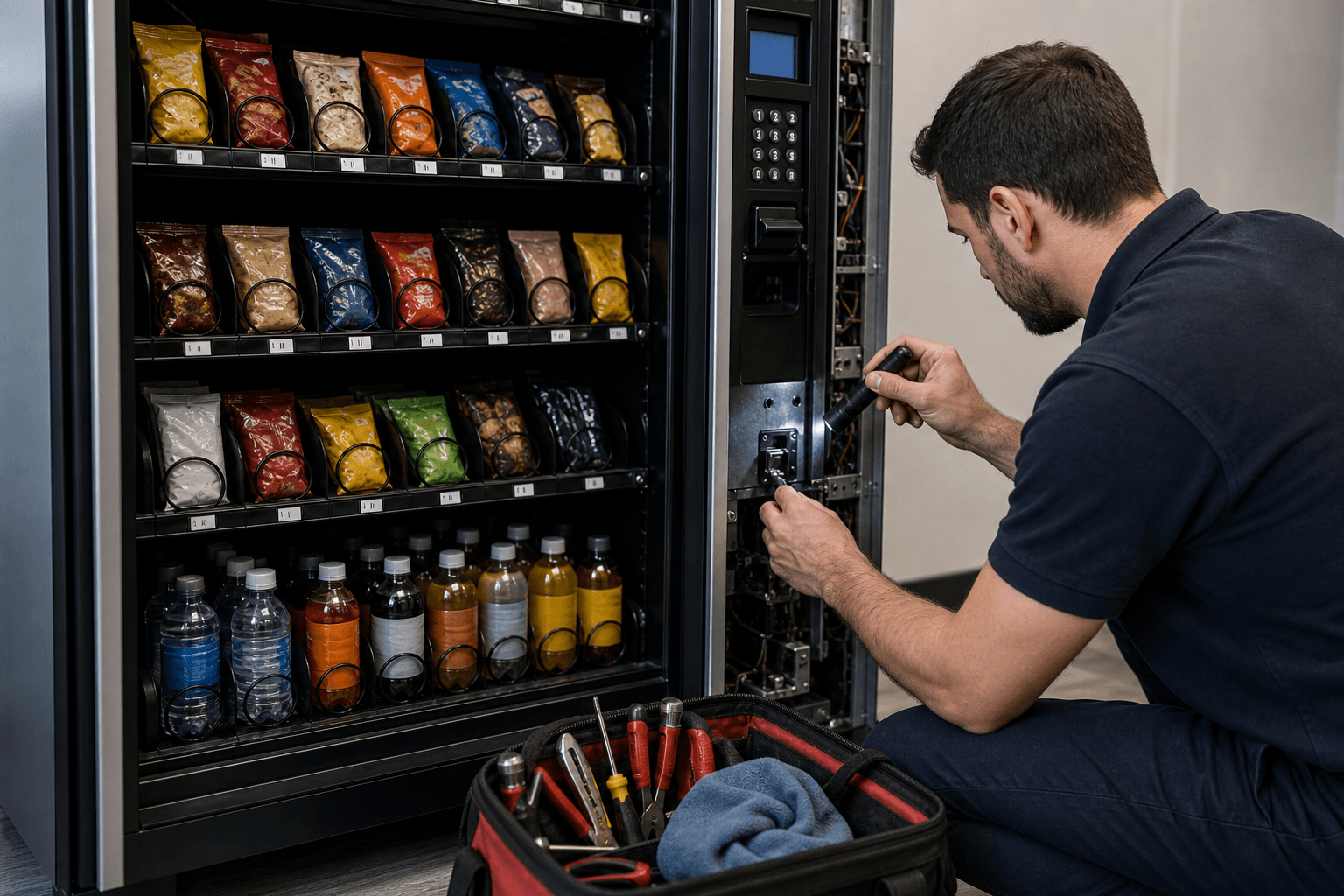
A preventive care kit is essential for efficient vending machine maintenance, ensuring you have the various tools needed to keep your machines running smoothly and reliably. Essential hand tools such as screwdrivers, wrenches, and cleaning supplies enable operators to handle basic repairs and upkeep efficiently.
- Microfiber cloths + food-safe cleaner
- Small vacuum or handheld vacuum
- Compressed air (carefully used)
- Cleaning cards for bill validators (if compatible)
- Basic tool kit (screwdrivers, nut drivers, adjustable wrench)
- Zip ties, electrical tape, spare fuses
- Spare spirals (your most common sizes)
- Gloves, paper towels, trash bags
Bottom line
Effective vending machine maintenance offers significant benefits, including ensuring customer satisfaction and smooth operations. Preventive maintenance isn’t glamorous, but it’s one of the highest-return habits in vending. Five minutes every visit prevents hours of emergency repair time later. Clean machines sell more, jam less, and keep locations happy—and that’s how you keep accounts and grow your route.
Want more vending business tips?
Subscribe to our free 2-week email course and learn how to start a successful vending business.