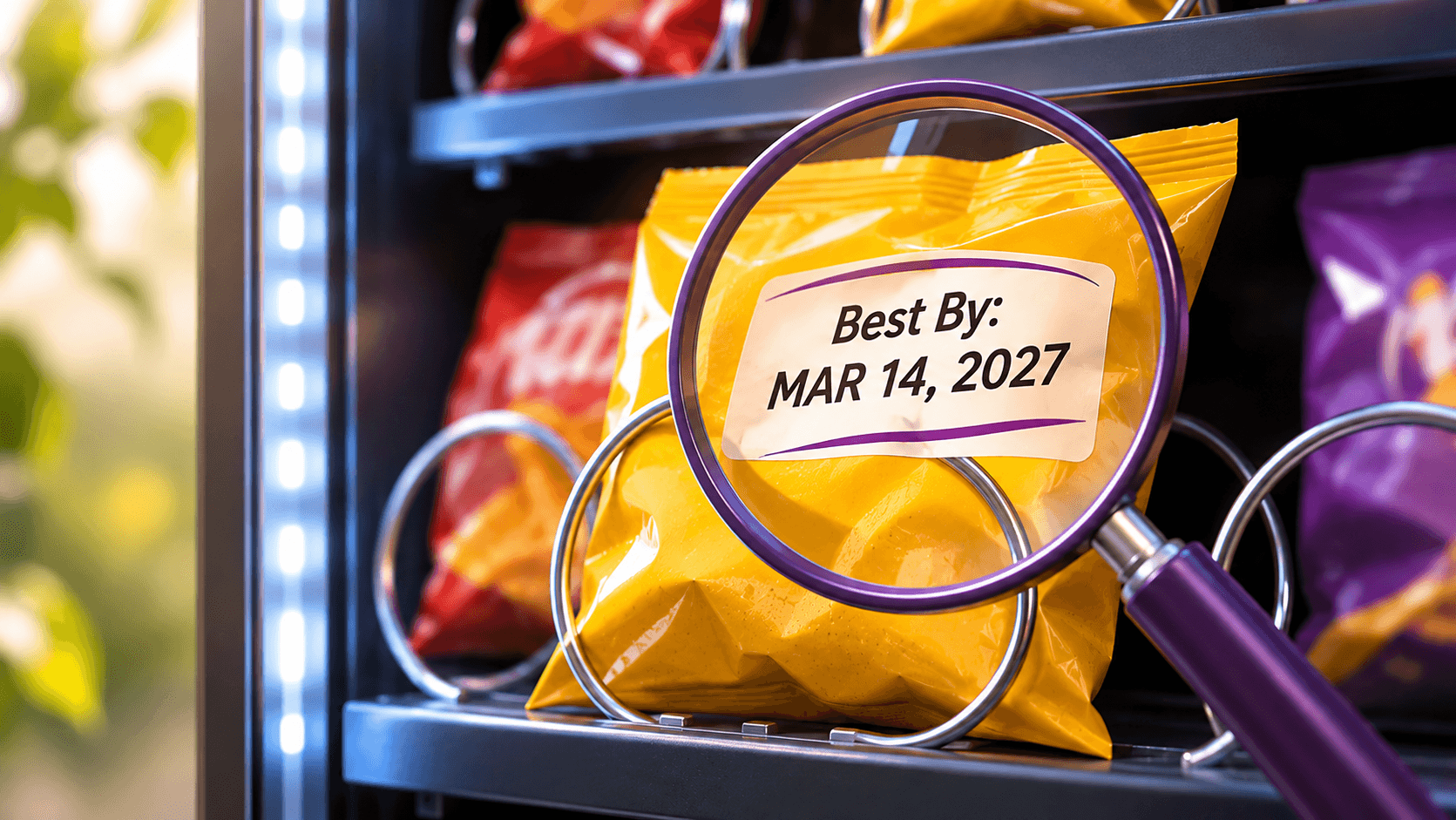
Vending machines are designed to sit unattended for days at a time. That is part of what makes the business model work, but it also creates a simple inventory problem: products don’t all sell at the same speed, so expired products in a vending machine are usually the result of uneven sales and stock sitting past the printed date — a date that often reflects quality more than safety.
A popular drink may disappear within days while another selection barely moves. A snack that sells reliably at one location may sit untouched at another. For vending machine operators and businesses managing machine inventory, that turns expiration into a practical issue tied to customer experience, shrink, and operating cost.
This article explains what happens to vending products that reach or pass their date, how to read date labels, and how to reduce losses through better inventory rotation, smarter ordering, attention to slow-selling products, and donation options when stock cannot be sold.
First, not every date means the same thing
The word “expired” gets used loosely, but the date printed on a food package doesn’t always mean that the food becomes unsafe the following day.
In the United States, most food date labels are related to quality rather than food safety. Phrases such as “Best if Used By” generally indicate when the manufacturer expects the product to be at its best flavor or quality. With the exception of infant formula, federal law generally doesn’t require these quality-based dates on packaged foods.
That doesn’t mean vending operators should simply ignore dates. Products can deteriorate, packaging can become damaged, and perishable foods require much stricter handling than a bag of chips or a candy bar. Operators also need to follow applicable state and local food rules and manufacturer guidance.
From a customer’s perspective, finding a product with an old date in a machine isn’t a particularly good experience either. Even when the date relates to quality rather than safety, most customers aren’t going to appreciate having to make that distinction after they’ve paid for it.
For an operator, the better approach is to catch aging inventory before it becomes a customer problem.
What vending machines operators do with products that are getting old
Ideally, products don’t stay in a machine until someone notices they’ve passed their date.
When servicing a machine, the operator can check products that have been sitting for a while and remove anything that shouldn’t remain for the next service cycle. What happens to the product afterward depends on the item, its date, its condition and the operator’s policies.
Sometimes the useful decision happens well before that point.
If a product has plenty of usable shelf life remaining but simply isn’t selling at one location, it can potentially be moved to another machine where demand is higher. An operator might also stop restocking that selection and allow the remaining inventory to sell down before replacing it with something more popular.
Once a product can no longer be sold, it should be removed from sellable inventory and recorded appropriately as a write-off or loss rather than continuing to appear as stock available for the route.
The important part is knowing that the product is there before it reaches that stage.
Rotation in vending machines makes a bigger difference than it sounds
One of the simplest ways to reduce expired inventory is also one of the easiest to overlook: sell the older stock first.
If an operator arrives with a fresh case of a product and continually loads the newest items in front of older ones, the older inventory can remain in the machine much longer than intended.
The same principle applies in the warehouse.
New deliveries shouldn’t automatically become the first products loaded onto the next route when older stock of the same item is still available. Organizing inventory so that earlier-dated products are used first gives those products the best chance of selling while they are still in good condition.
With a small route, an operator may be able to keep track of this mentally. Once there are dozens of machines and hundreds of product selections, it becomes much harder.
Slow sellers are usually the real problem
If the same product repeatedly gets close to its date in the same machine, the expiration date may not actually be the problem.
The selection may simply not belong there.
Suppose a machine has capacity for 12 units of a particular snack but sells only two or three each month. Filling the selection to capacity every time means some of those products could sit in the machine for months.
The operator has several options: stock fewer units, replace the product, move it to a stronger location or reconsider how much of it should be purchased in the first place.
This is where sales history becomes useful. Instead of treating expired products as isolated losses, operators can look for patterns.
Which products regularly get removed? Which machines generate the most waste? Are certain products being purchased in quantities the route doesn’t actually need?
A few discarded snacks may not seem financially important. Repeated across a large route every week, they become a measurable operating cost.
Overstocking vending machines can create the problem before the route even starts
Expiration isn’t only a machine-level issue.
An operator can have perfectly managed machines and still lose products because too much inventory is sitting in the warehouse.
Buying larger quantities can be tempting, particularly when suppliers offer a better unit price. But a lower purchase price doesn’t help much if part of the order eventually has to be thrown away.
The right inventory level depends on how quickly the route actually consumes the product and how frequently new stock can be purchased.
Keeping some buffer stock makes sense. Keeping several months of a slow-selling product simply because it was cheaper by the case may not.
The same sales data used to decide what belongs in a machine can therefore help with purchasing decisions as well.
Can products approaching their date be donated?
In some circumstances, excess packaged food may be suitable for donation rather than disposal. The FDA itself suggests considering food banks or food drives when people or businesses have packaged food they won’t be able to use.
Whether that is an option for a vending operator depends on the product, its condition, the date involved and the requirements of the organization receiving it. Local regulations and donation policies also matter.
For products that are still suitable but unlikely to sell before an operator wants them out of the route, it can be worth investigating rather than automatically sending everything to the trash.
The goal isn’t to manage expired products. It’s to have fewer of them.
Some waste is difficult to eliminate completely.
Demand changes. A previously popular product stops selling. A location loses employees. A machine is moved. Weather affects drink sales. A supplier requires larger case quantities than an operator would ideally purchase.
But recurring waste usually leaves clues.
If products regularly expire in the warehouse, purchasing quantities may be too high. If they repeatedly expire in one machine, the selection or stocking level may be wrong. If operators don’t discover aging inventory until it’s already too late, the route may need a better way of tracking expiration dates. For perishable products, proper refrigeration helps prevent spoilage. Refrigerated machines should keep products below 41°F, and the FDA temperature danger zone runs from 41°F to 135°F. Items held outside safe temperatures spoil faster, and consistent cooling protects product quality.
That makes expiration management less about checking packages and more about understanding inventory movement.
A good vending operation should be able to answer a few basic questions: What do we have? Where is it? How quickly is it selling? And which products need attention before the next visit?
Answer those consistently, and fewer products should reach the point where the only remaining decision is what to throw away.
Tracking expired and damaged inventory with VendSoft
When expired or damaged products do need to be removed, keeping a record of that loss is just as important as taking the products out of circulation.
VendSoft allows operators to write off damaged or expired products directly from their warehouse inventory. The quantity is removed from the warehouse, the total in-stock amount is updated, and the write-off is recorded in the product’s history. Operators can also add a reason, making it easier to see where inventory losses are coming from over time.
Products removed from a vending machine are handled as part of the trip instead. In the VendSoft mobile app, the operator can record the discarded quantity as Bad when entering the trip results. This keeps the machine and warehouse quantities accurate while accounting for products that could no longer be sold.
Recording these losses consistently makes it easier to spot products or locations where waste is becoming a recurring problem rather than simply treating expired inventory as an occasional cost of doing business. See out full help center article here.
Keep better track of what’s in your machines and warehouse. VendSoft helps vending operators manage inventory, track product expiration dates, monitor sales and identify what needs attention across their route. Start your 14-day free trial — no credit card required.
Want more vending business tips?
Subscribe to our free 2-week email course and learn how to start a successful vending business.