
What you can ask
Try these example questions with your own machine and route names. The answers depend on what you have recorded in VendSoft.
Example 1: compare sales and plan your next visits
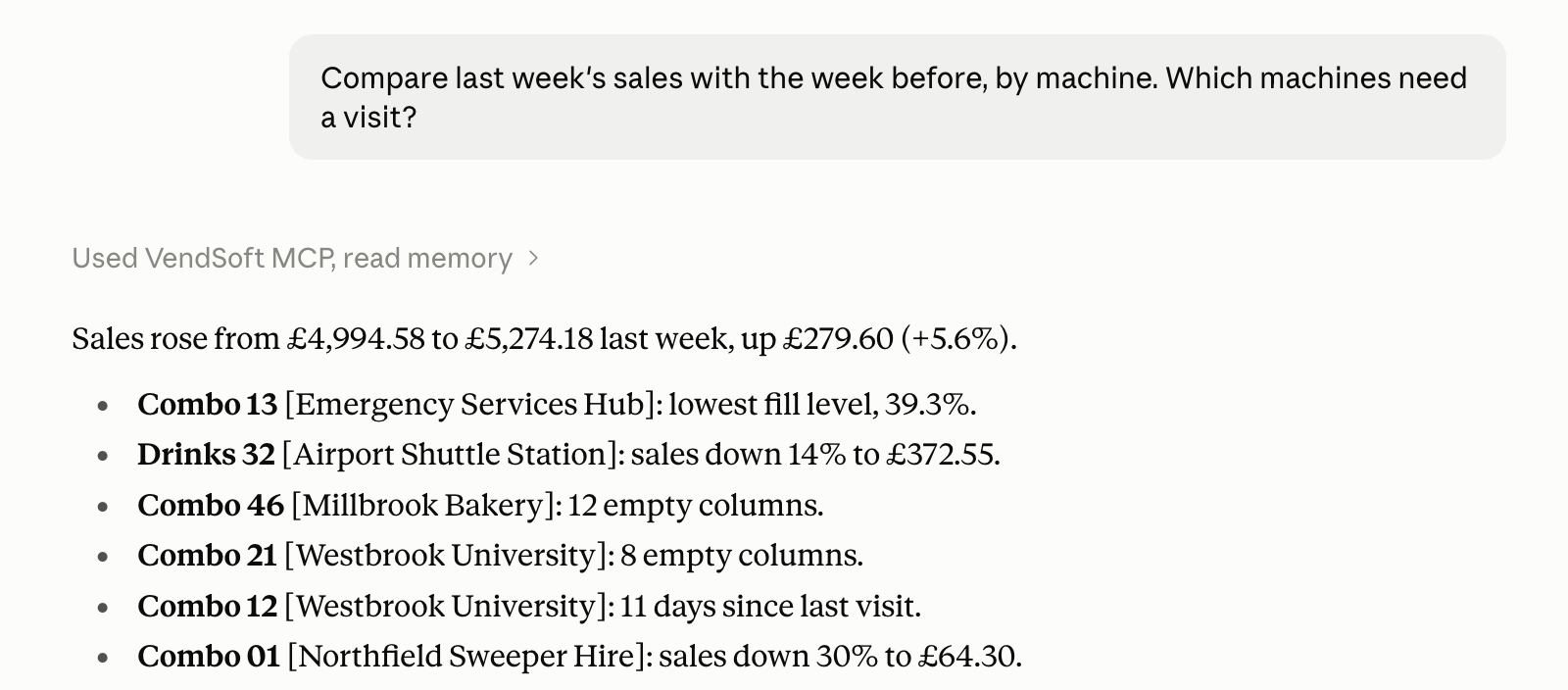
Compare last week’s sales with the week before, by machine. Which machines need a visit?
Your account needs telemetry sales for both weeks, current machine stock and recorded service visits so the assistant can compare sales and identify machines running low.
Example 2: decide what to load for a route
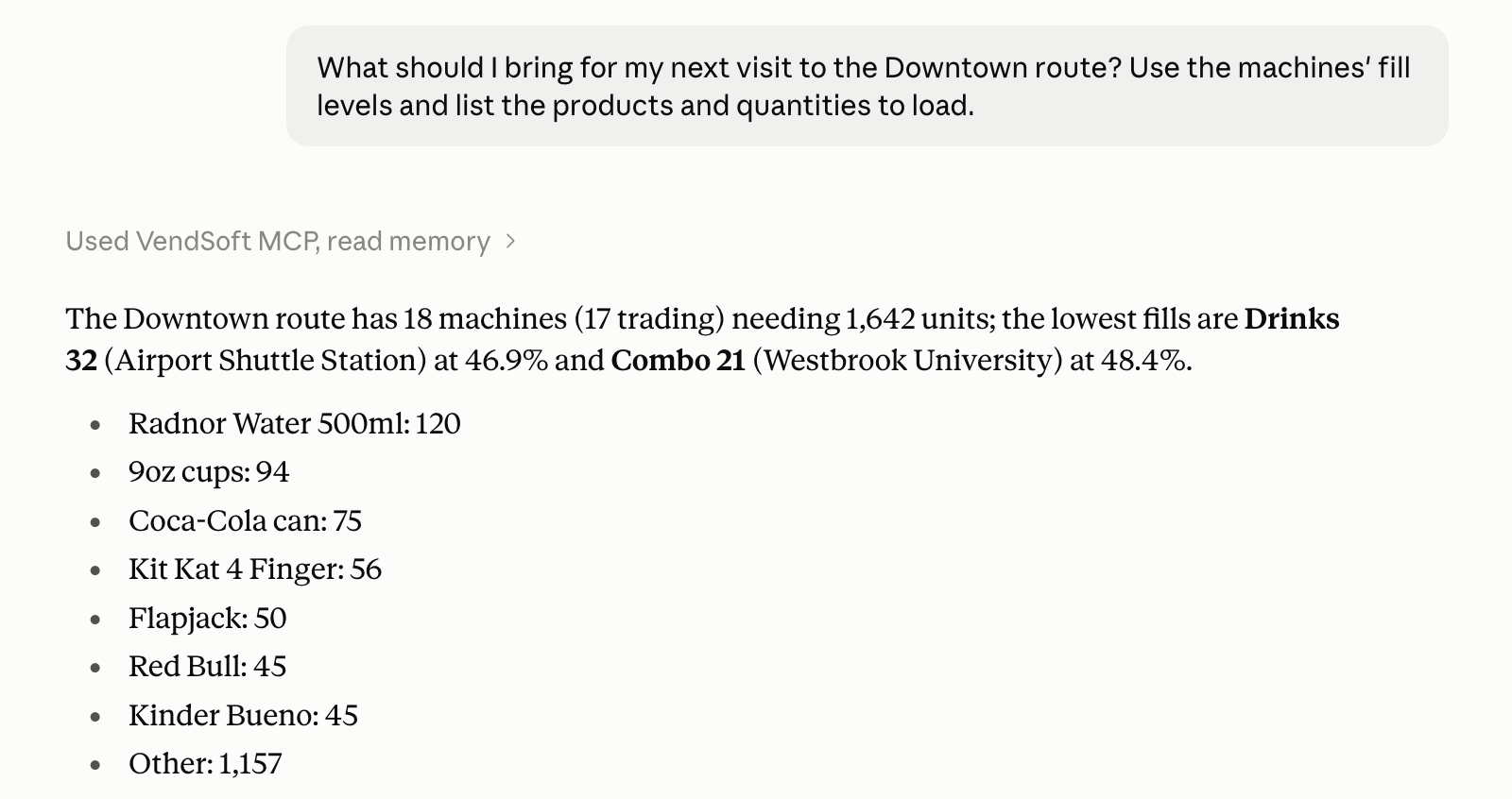
What should I bring for my next visit to the Downtown route? Use the machines’ fill levels and list the products and quantities to load.
Your account needs locations assigned to that route, machine planograms with capacities, and up-to-date stock from service visits and telemetry sales.
Example 3: see what to reorder
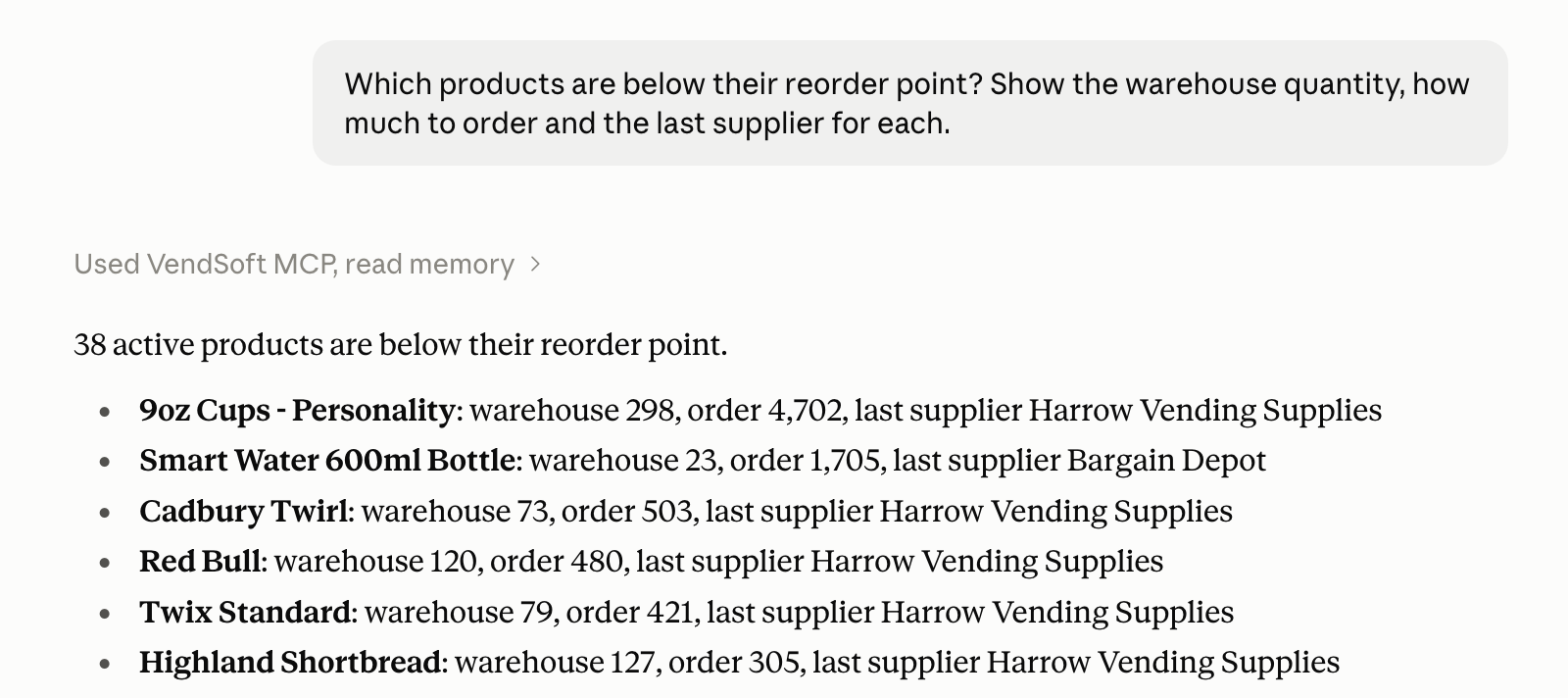
Which products are below their reorder point? Show the warehouse quantity, how much to order and the last supplier for each.
Your account needs accurate warehouse quantities, reorder points and order-up-to levels on products, plus recorded purchases to identify the last supplier.
Works with
An administrator connects your VendSoft account to the AI app you choose. The connection uses Model Context Protocol (MCP), the standard these apps use to request data from VendSoft.
- Claude: a Claude account with custom connectors; Free includes one custom connector. Set up in Claude.
- ChatGPT: Plus or Pro with Developer Mode, or Business or Enterprise with the connection enabled by a workspace administrator. Set up in ChatGPT.
- Grok: a Grok web account with custom connectors; Business and Enterprise teams need an administrator to enable the connection. Set up in Grok.
Your data
The connector is read-only and can access only your own VendSoft account. It cannot change your data, create purchases or schedule visits.
VendSoft keeps each tool request and its outcome, including the request’s arguments, for 90 days. VendSoft does not keep your conversation. The figures the assistant asks for go to your AI provider under your agreement with it.
You can disconnect at any time under AI Connector on the Security page in VendSoft.
Frequently asked questions
Which VendSoft plan do I need?
The AI Connector is included in the Pro and Business plans, including trials of those plans. An administrator of your VendSoft account sets up the connection.
Can it change my data?
No. The connector only reads your account’s sales, inventory and purchases to answer questions. You make any changes yourself in VendSoft.
What does it cost?
There is no extra connector fee or per-question charge from VendSoft on Pro and Business, within the usage limit of 300 tool requests per account per hour. One question can make several tool requests. You also need an account with your chosen AI app, whose own charges and limits apply.
What happens if I downgrade?
If you move to a plan that does not include the connector, or your subscription or trial expires, it stops answering questions. The connection stays listed on the Security page, where you can disconnect it. If your account becomes eligible again before the connection expires, it works again. Connections expire after 90 days; after that, reconnect to use it again.